
搜索到
90
篇与
的结果
-
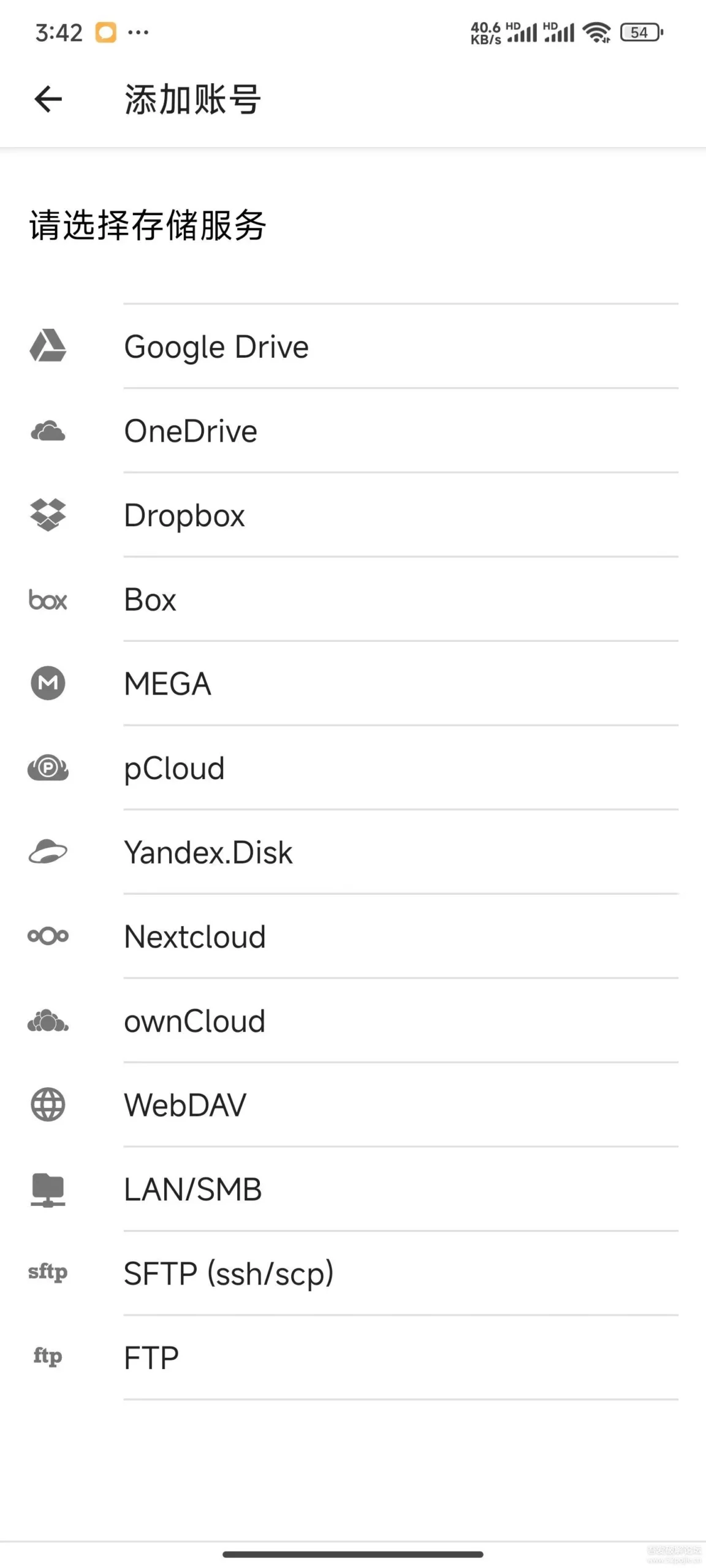
 Autosync 6.5.0 安卓Nas云盘AList局域网共享同步工具 介绍分享一款Nas同步工具,可以把你的手机的数据跟Nas保持同步,可选择只上传或者下载多种模式。可对接AList后把手机的图片目录选择上传对应的云盘,实现实时备份的功能。部分截图下载地址{cloud title="蓝奏云" type="lz" url="https://wwl.lanzn.com/iQ0ft203hd4f" password="52pj"/}{cloud title="蓝奏云二" type="lz" url="https://daimafengzi.lanzout.com/iFMHl2dlwnkh" password=""/}{cloud title="123盘" type="default" url="https://www.123865.com/s/0ztiVv-SLpod" password=""/}{cloud title="189天翼网盘(访问码:9rhk)" type="default" url="https://cloud.189.cn/web/share?code=6Bnuqy7fIRZz" password=""/}
 -
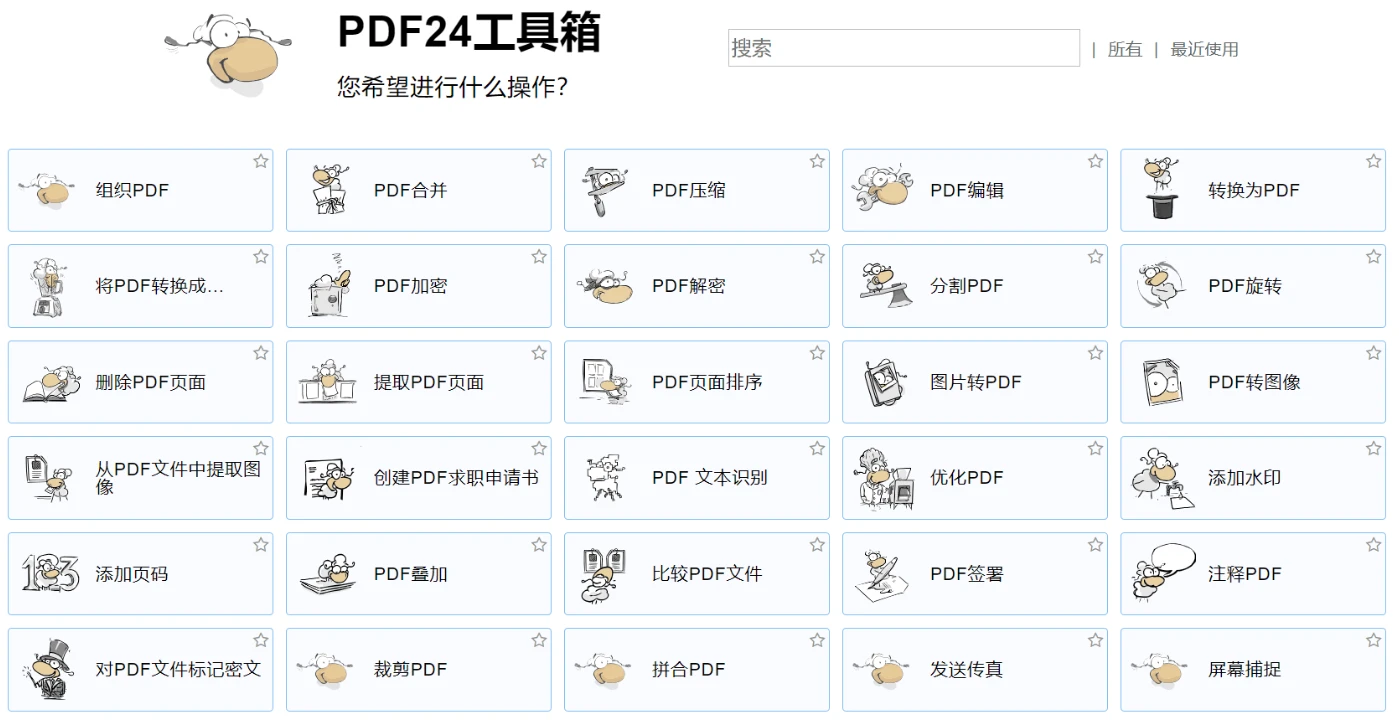
PDF工具箱 PDF24 废话连篇PDF24 Creator是一款免费且流行的 PDF 解决方案,具有许多适用于 Windows 的功能。该软件将所有 PDF24 工具作为离线版本提供,因此所有文件都保留在您的 PC 上。MAC 版本不可用。 MAC用户可以使用PDF24在线工具,该工具也是免费的。PDF24 Creator 目前不支持Windows 7。下载地址{cloud title="官网" type="default" url="https://www.pdf24.org/zh/" password=""/}{cloud title="百度网盘" type="bd" url="https://pan.baidu.com/s/1xwyBVr-h4J_rjpXaxjksew?pwd=s25a" password=""/}{cloud title="123网盘" type="default" url="https://www.123pan.com/s/6nUTTd-bhmQH" password=""/}
-
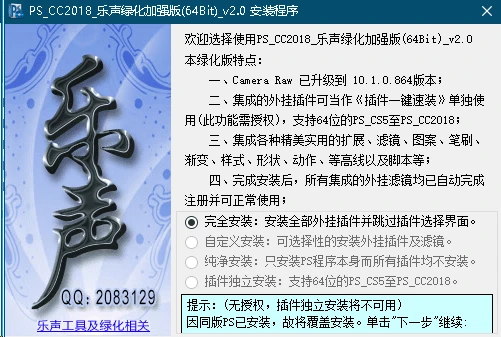
珍藏已久的Photoshop cc_2018乐声绿化增强版 此软件集成了很多了实用工具,提高效率。(不需要插件可以选择纯净安装或者自定义选择哦!)免注册机,一键安装即用!!下载地址{cloud title="123网盘" type="default" url="https://www.123pan.com/s/0ztiVv-0wpod" password=""/}{cloud title="天翼网盘(访问码:yl5c)" type="default" url="https://cloud.189.cn/web/share?code=FRF3AnriIrqa" password=""/}{cloud title="阿里云网盘--失效快" type="default" url="https://www.alipan.com/t/d6PyiF66LQWH19LdADi3" password=""/}{cloud title="百度网盘--" type="bd" url="https://pan.baidu.com/s/1W_6DqsS81ISpL_dmLnZ2UA" password="kdnn"/}
-
docker容器中添加字体 在服务器中使用docker部署的Java后端服务,需要解决字体问题,解决方法如下:从windows中拷贝字体文件,目录位置:C:\Windows\Fonts将字体文件拷贝到宿主机,比方说我拷贝到了:/usr/local/share/fonts/目录下在宿主机执行cp命令,将字体文件拷贝到容器中的对应位置 /usr/share/fonts/docker cp /usr/local/share/fonts/simsun.ttc rongqi:/usr/share/fonts/进入容器,验证字体是否安装成功docker exec -it rongqi bash验证字体是否安装成功使用命令fc-list,如果没有fc-list命令,需要做如下操作:Debian/Ubuntu:apt-get update apt-get install fontconfigCentOS/RHEL:yum install fontconfigAlpine Linux:apk update apk add fontconfig确认字体目录:确保你的字体文件已经正确复制到容器内的 /usr/share/fonts/ 目录。生成字体缓存:在容器内执行以下命令,以确保字体缓存已生成。fc-cache -fv验证字体:在容器内执行 fc-list 命令,查看是否能够列出已安装的字体fc-list验证成功如下图所示
-
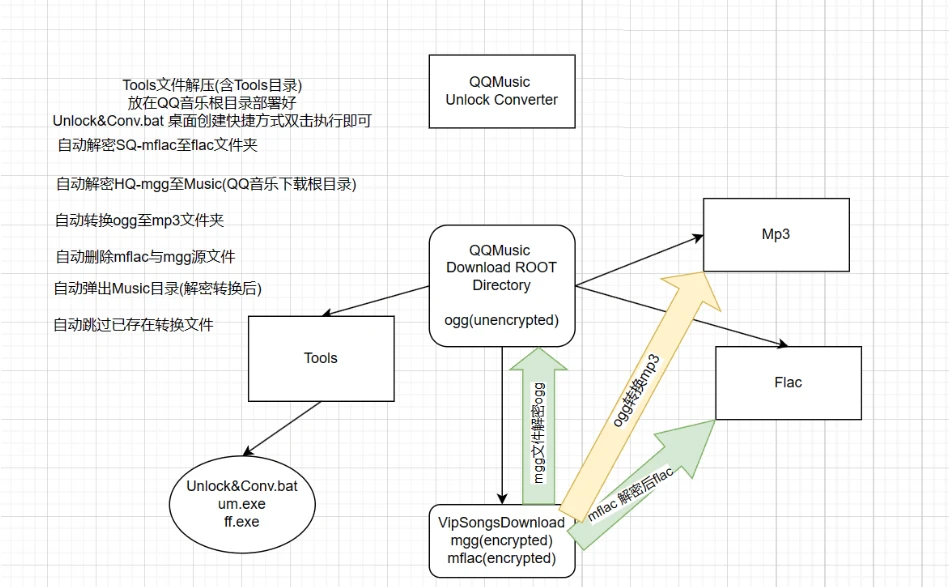
QQ音乐VIP歌曲批量下载后,一键全自动解密+ogg批量转码Mp3 媳妇买了个游泳播放器,要下载歌曲。吩咐我,QQ音乐里的歌单下载下来,拷贝进去。找了好多个项目各种问题,QQ音乐VIP歌曲是加密的,还涉及到批量转换格式。QQ音乐VIP歌曲,HQ音质是mgg格式,解密后为ogg,SQ音质是mflac格式,解密后为flac格式。最终锁定的在UnlockMusic+FFMPEG两个工具进行组合。最后实现效果音乐目录下一键批量解密并批量自动转换ogg文件为mp3(flac就没必要转了吧)ogg码率观察了一下,应该是380K VBR的基准,转换后码率为320k。(可以在批处理里自行修改转换码率)分享链接里包含Tools+QQ Music v19.51 绿色优化版(已屏蔽自动更新)使用方法Tips-1: QQ音乐版本是有要求的,不能高于v19.51,不然加密方式有变化会导致解密失败。Tips-2:Tools工具直接解压到当前目录,直接扔到QQ音乐的下载根目录。Tips-3:解压后把执行批处理,自动解密音乐目录下的mgg及mflac文件格式并自动批量转换mgg节后的ogg为mp3格式(会在音乐目录下创建Mp3目录)。软件包下载旧版QQ音乐包{cloud title="蓝奏云" type="lz" url="https://daimafengzi.lanzout.com/iwHP928jco2d" password=""/}{cloud title="天翼云(访问码:ng5t)" type="default" url="https://cloud.189.cn/web/share?code=vEFVjuM3Qfyy" password=""/}{cloud title="123盘" type="default" url="https://www.123pan.com/s/0ztiVv-1txod" password=""/}{cloud title="百度云盘" type="bd" url="https://pan.baidu.com/s/1GDulbC5NySafvM-H-oo5yA?pwd=4h9b" password="4h9b"/}解密工具解密工具解压码: 52pj{cloud title="蓝奏云" type="lz" url="https://daimafengzi.lanzout.com/iRe0228jcq2f" password=""/}{cloud title="天翼云(访问码:2twc)" type="default" url="https://cloud.189.cn/web/share?code=rEzym2JzM3au" password=""/}{cloud title="123盘" type="default" url="https://www.123pan.com/s/0ztiVv-4txod" password=""/}{cloud title="百度云盘" type="bd" url="https://pan.baidu.com/s/1Nj_QTjwAXPPP1lI1gbuikw?pwd=djn1" password="djn1"/}
-
当前国内可用的docker加速器搜集 可用镜像加速器以下地址搜集自网络,仅供参考,请自行验证。1、https://docker.m.daocloud.io 2. https://dockerpull.com 3. https://atomhub.openatom.cn 4. https://docker.1panel.live 5. https://dockerhub.jobcher.com 6. https://hub.rat.dev 7. https://docker.registry.cyou 8. https://docker.awsl9527.cn 9. https://do.nark.eu.org/ 10. https://docker.ckyl.me 11. https://hub.uuuadc.top 12. https://docker.chenby.cn 13. https://docker.ckyl.me如何使用cat /etc/docker/daemon.json { "registry-mirrors": ["https://docker.m.daocloud.io"] }使其生效systemctl daemon-reload systemctl restart docker前缀方式加速源/镜像:TAG直接进行使用docker pull docker.m.daocloud.io/nginx:latest自建镜像源1、https://github.com/dqzboy/Docker-Proxy 2. https://github.com/cmliu/CF-Workers-docker.io
-
powershell报错:“irm - 请求被中止- 未能创建 SSL-TLS 安全通道“ 问题描述powershell 执行下载的时候。报错:“irm : 请求被中止: 未能创建 SSL/TLS 安全通道“。此时系统,所有的网络下载 经过https安全加密方式的TLS请求都会报错。因为加密版本不匹配的问题。可以通过以下命令,查看当前加密协议,一般要新协议 Tls12 :[System.Net.ServicePointManager]::SecurityProtocol简单临时解法:# fix ssl in tyy win10 server 2016 [System.Net.ServicePointManager]::SecurityProtocol += [System.Net.SecurityProtocolType]::Tls12;正规标准解法[.NET Framework 中的传输层安全性 (TLS) 最佳做法 - .NET Framework | MicrosoftLearn](https://learn.microsoft.com/zh-cn/dotnet/framework/network-programming/tls)以下 .REG 文件将注册表项及其变量设置为其最安全的值:Windows Registry Editor Version 5.00 [HKEY_LOCAL_MACHINE\SOFTWARE\WOW6432Node\Microsoft\.NETFramework\v2.0.50727] "SystemDefaultTlsVersions"=dword:00000001 "SchUseStrongCrypto"=dword:00000001 [HKEY_LOCAL_MACHINE\SOFTWARE\WOW6432Node\Microsoft\.NETFramework\v4.0.30319] "SystemDefaultTlsVersions"=dword:00000001 "SchUseStrongCrypto"=dword:00000001 [HKEY_LOCAL_MACHINE\SOFTWARE\Microsoft\.NETFramework\v2.0.50727] "SystemDefaultTlsVersions"=dword:00000001 "SchUseStrongCrypto"=dword:00000001 [HKEY_LOCAL_MACHINE\SOFTWARE\Microsoft\.NETFramework\v4.0.30319] "SystemDefaultTlsVersions"=dword:00000001 "SchUseStrongCrypto"=dword:00000001
-
统一运行库合集v1.1.0 | Unified GameBoost Runtimes,系统运行库,系统支持库 软件简介:统一游戏运行库(又名游戏增强聚变引擎)兼容Win7-Win11操作系统,旨在简化安装流程,降低安装门槛,帮助电脑小白完成新机配置。网上3DM运行库等全套运行库由于久久没有维护,部分组件不再适合当前使用环境,面对硬件换新潮,兼容软环境自然也要跟上!找准运行库安装自然是首要问题。包体继承了.NET 离线运行库合集的组件,在原有基础上添加其余PC必备运行库,多年的维护经验使得该系列运行库从安装和检测上趋于成熟。本版特点:纯净绿色:软件中的大多数组件经过精心处理。从官方发布的MSI安装包中提取所需内容,并结合一些高效、安全的第三方脚本进行定制和维护,确保整个过程无广告植入,保持了软件的纯净性并优化对系统资源的占用,让电脑运行轻盈流畅。广泛适配:调研并精选了针对校园信息室和网吧运行库配置进行打包。这些运行库能很好地兼容从Win7到Win11的新老设备,剔除不常用或针对特定软件的冷门运行库,避免占用宝贵的硬盘空间,确保系统更加精简高效。轻巧便捷:采用ISO镜像文件格式离线封装。大大简化了操作流程,同时ISO格式对于存储介质的要求较低,能轻松存放和传输,非常适合在不同设备间部署或帮助各位小白朋友们远程解决软件环境安装问题。详细组件清单Microsoft XML Core Services 6.0(6.10.1129.0) Microsoft Visual Basic 5.0 Runtime(5.2.82.44 ) Microsoft Visual Basic 6.0 Runtime(98.46) Microsoft Visual C++ 2002 Redistributables(7.0.9975.0) Microsoft Visual C++ 2003 Redistributables(7.10.6119.0) Microsoft Visual C++ 2005 Redistributables(8.0.50727.6229) Microsoft Visual C++ 2008 Redistributables(9.0.30729.7523 ) Microsoft Visual C++ 2010 Redistributables(10.0.40219.473) Microsoft Visual C++ 2012 Redistributables (11.0.61135.400) Microsoft Visual C++ 2013 Redistributables(12.0.40664.0) Microsoft Visual C++ 2015-2022 Redistributables(14.40.33810.0) Microsoft Visual Studio 2010 Tools for Office Runtime(10.0.60917.0) Windows10 Universal C Runtime(KB3118401) Microsoft Visual J# -SE Redistributables(2.0.50727.937) Microsoft Visual F# 2.0 Redistributables(2.0.50727.42) Microsoft.NET Framework 1.1 SP1(1.4322.585) Microsoft.NET Framework 3.5 SP1(3.5.30729) Microsoft.NET Framework 4.8(4.8.0.3761) Microsoft.NET Core 3.1 Desktop Runtime(3.1.32.31915) Microsoft.NET 6.0 Desktop Runtime(6.0.31.33717) Microsoft.NET 8.0 Desktop Runtime(8.0.6.31915) Microsoft XNA Framework 1.0 Refresh(1.1.10405.0) Microsoft XNA Framework 2.0(2.0.11828.1) Microsoft XNA Framework 3.0 (3.0.11010.0) Microsoft XNA Framework 3.1 (3.1.10527.0) Microsoft XNA Framework 4.0 Refresh(4.0.30901.0) Microsoft Silverlight 5.1(5.1.50918.0) JAVA 8 Environment (8.0.4110.9) NVIDIA PhysX 系统软件包(9.23.1019) NVIDIA PhysX 系统软件包 Legency(9.13.0604) Open Al(2.1) Rapture 3D 2.7.4 Game (2.7.3) Adobe Flash 34 Active(34.0.0.317) Adobe Flash 34 PPAPI(34.0.0.317) Adobe Shockwave Player (12.3.5)截图预览:安装须知确保当前更新服务和Dism服务开启确保关闭安全杀毒软件确保不是精简系统下载地址{cloud title="123网盘" type="default" url="https://www.123pan.com/s/OXg9-69czv.html" password="52PJ"/}{cloud title="123网盘 备份盘" type="default" url="https://www.123pan.com/s/0ztiVv-phxod.html" password=""/}{cloud title="天翼网盘(访问码:6gze)" type="default" url="https://cloud.189.cn/web/share?code=nQV3QnNNNNN3" password=""/}{cloud title="夸克网盘" type="quark" url="https://pan.quark.cn/s/ed69a67d6d7f" password=""/}{cloud title="迅雷网盘" type="default" url="https://pan.xunlei.com/s/VO2gznU4I_jvzs-gQH5gt4ZPA1?pwd=9xjv" password=""/}